How to make a checklist your whole team can use, without building an app
A month-end close, a release sign-off, a policy sign-off. Tools that are really one shared list, the usual ways to build them, and a page your agent writes that saves data and grows into an app when it needs one.
A lot of what a team asks for is a list. Which of the 23 month-end close steps are done, and who did them. Whether design, QA and support have signed off on the release. Who has confirmed they read the new policy. Which of the first-week tasks a new starter has done.
A coding agent will write the page for any of these in a minute. The page looks finished. Then somebody ticks a box, refreshes, and the tick is gone, because a page on its own has nowhere to keep anything. The usual next step is an app: a server, a database, a login. That is a lot of machinery for a list.
This article is about the space in between. We make Spryloom, and the last option below is ours. The others are real choices, described as fairly as we can.
What a shared list actually needs
Before comparing options, it's worth being exact about the job. A list that a team relies on needs four things:
- Somewhere to keep the records, so a tick survives a refresh and everyone sees the same list.
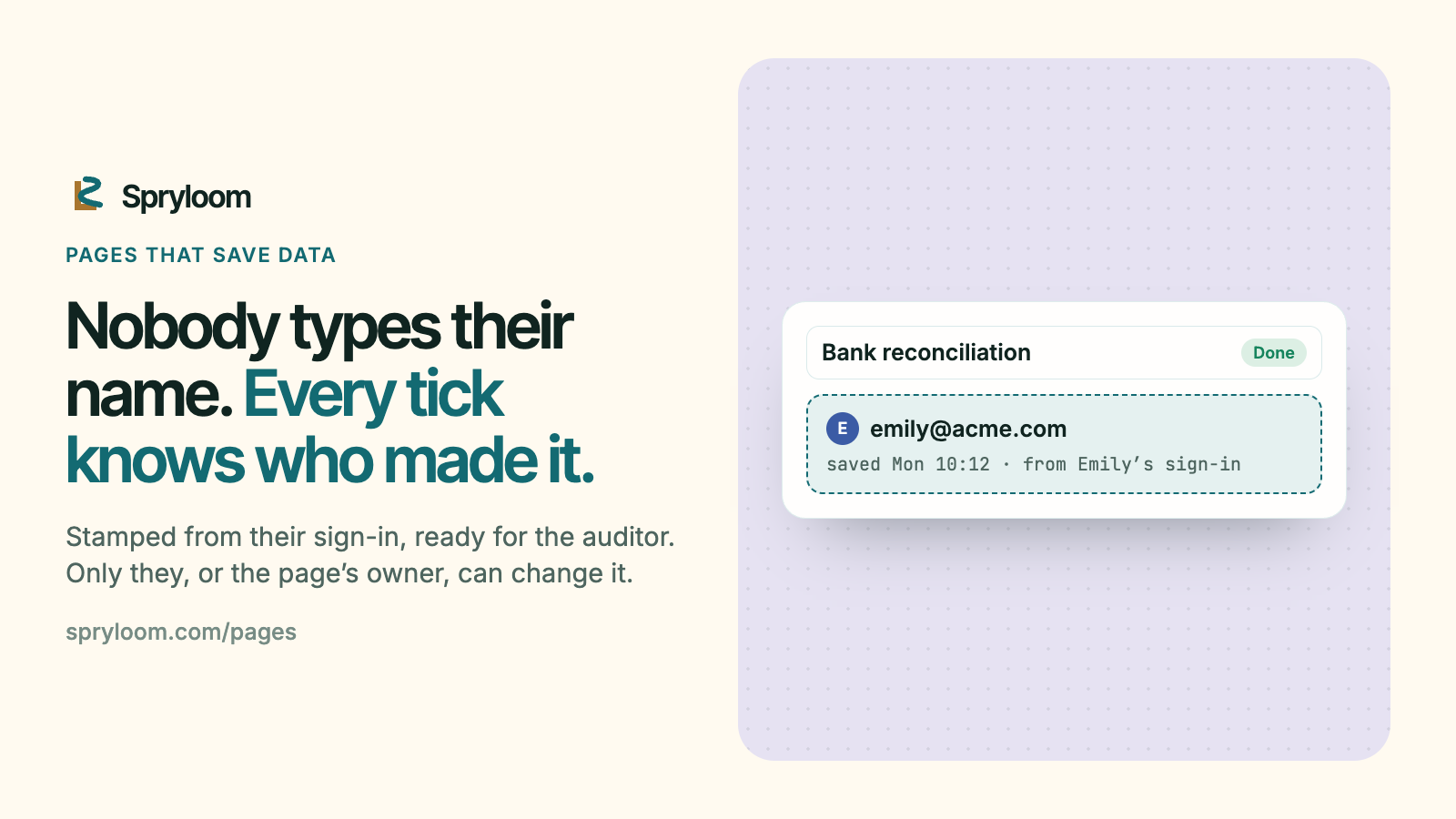
- To know who did what. "Bank reconciliation: done" is useless without "Emily, Monday 10:12". And people shouldn't type their own names: they mistype them, and anyone can type anyone's.
- A door. Only the team gets in. A close checklist or a sign-off says things you wouldn't post publicly.
- Room to grow. The day someone says "on day three, email whoever still has a step open", the list needs a schedule and a server. Starting over is the expensive part.
Option 1: a spreadsheet or a form
A shared spreadsheet, or a form that writes into one, is the honest default. Everyone knows how to use it, it's free with what you already have, and the sharing controls are good.
Where it strains: a spreadsheet is a grid, not a tool. There is no "Done" button, no view of just what's still open, and nothing stops someone editing another person's row. Forms fix the input but people still read the answers in the grid. "Who did this" is whatever they typed, or a revision history you have to dig for. It works best when the people using it are comfortable in spreadsheets.
Option 2: a no-code database
Airtable, Notion databases and similar tools sit in the middle: real records, views, forms, and permissions. For a team already living in one of them, a new table is a fine answer.
The costs are seats and shape. Usually everyone who edits needs a seat on that tool, and the interface is the tool's, so a close checklist looks like a database with a status column. You can get close to the page you pictured, but rarely all the way.
Option 3: ask your agent for an app
An agent can build the full thing: a small server, a database, sign-in, the exact page you wanted. It will run on your laptop.
Getting it in front of the team is where the work is: hosting, a database, a login that's actually secure, and somewhere to keep it running. That's the right amount of machinery for something with rules and schedules. For a list it's more than you need, and it's more to look after.
Option 4: a page that saves data
This is what we built. Your agent writes the page, as before, and declares the lists it keeps in a small manifest. Spryloom keeps the lists, puts sign-in in front, and stamps every record with who saved it. There's no server and no database to set up.
Here is one, from the first ask to the app it became.
Ask
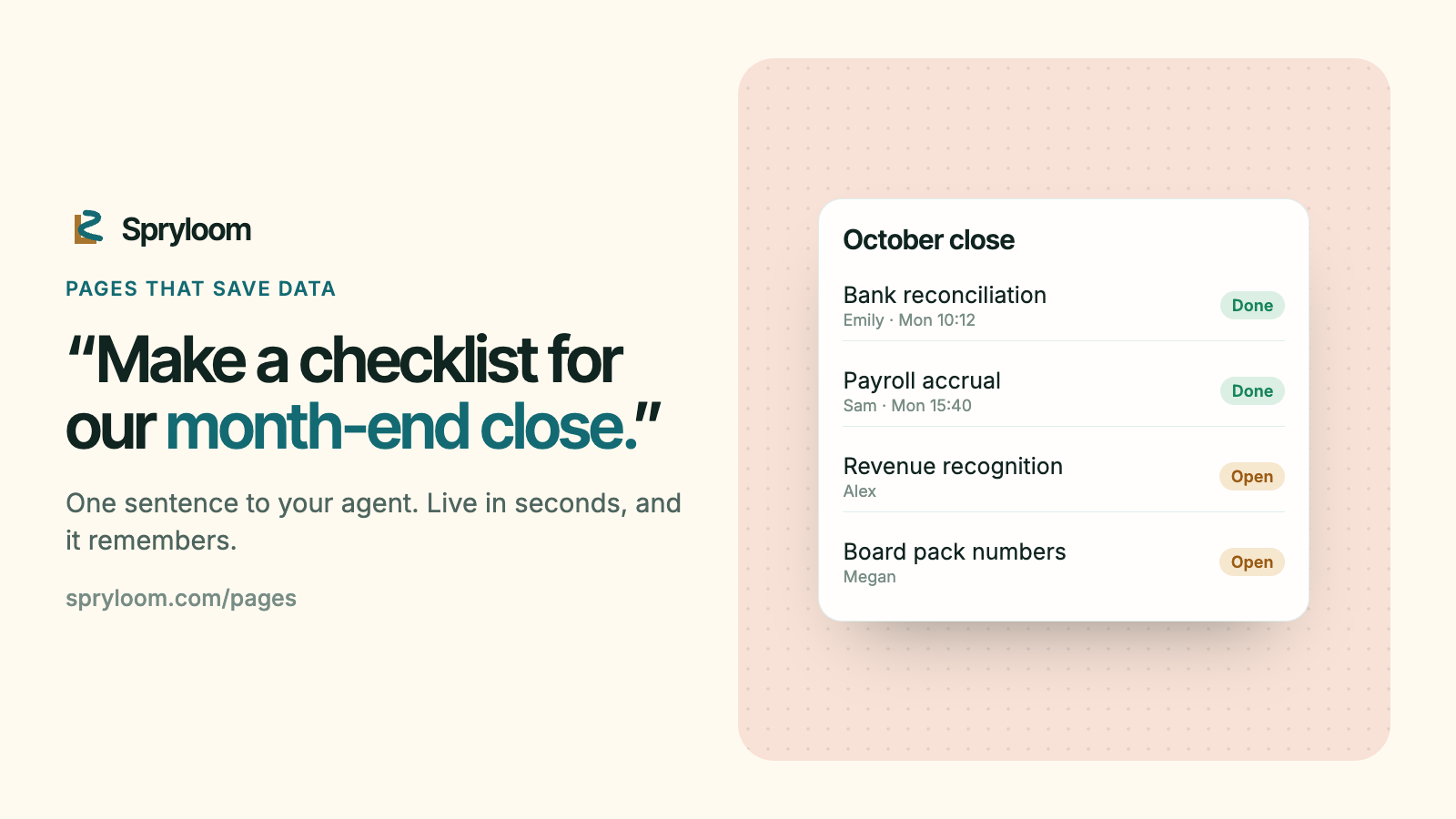
Megan runs the month-end close at a 40-person company: 23 steps, five people, and a spreadsheet nobody trusts. In Claude Code, Megan asks: "Make a checklist for our month-end close: the 23 steps, who owns each, and a tick when it's done." The agent writes the page and declares one list:
runtime:
  frontend: static
  backend: none
data:
  lists:
    ticks: shared
shared means everyone who can open the page sees every record. The other kind, own, means each person sees only what they saved, and the page's owner sees everything: right for a new-hire checklist or a policy sign-off.
Publish and use
The agent publishes it. It's live in seconds at a private address, and Megan invites the finance team by email. They open it from the link and tick off their steps.
The page's own script saves and reads at /~data, on the page's address:
await fetch('/~data/ticks', {
  method: 'POST',
  headers: { 'Content-Type': 'application/json', 'Spryloom-Request': 'data' },
  body: JSON.stringify({ step: 'Bank reconciliation' }),
});
const { records } = await (await fetch('/~data/ticks')).json();
Know who did it
Nobody types a name. Spryloom stamps each record with the person's email and the time, from their sign-in, so the page can't get it wrong and nobody can claim to be someone else. When the auditor asks who did the bank reconciliation, the answer is already there. Only the person who saved a record, or the page's owner and admins, can change or delete it.
Ask about it
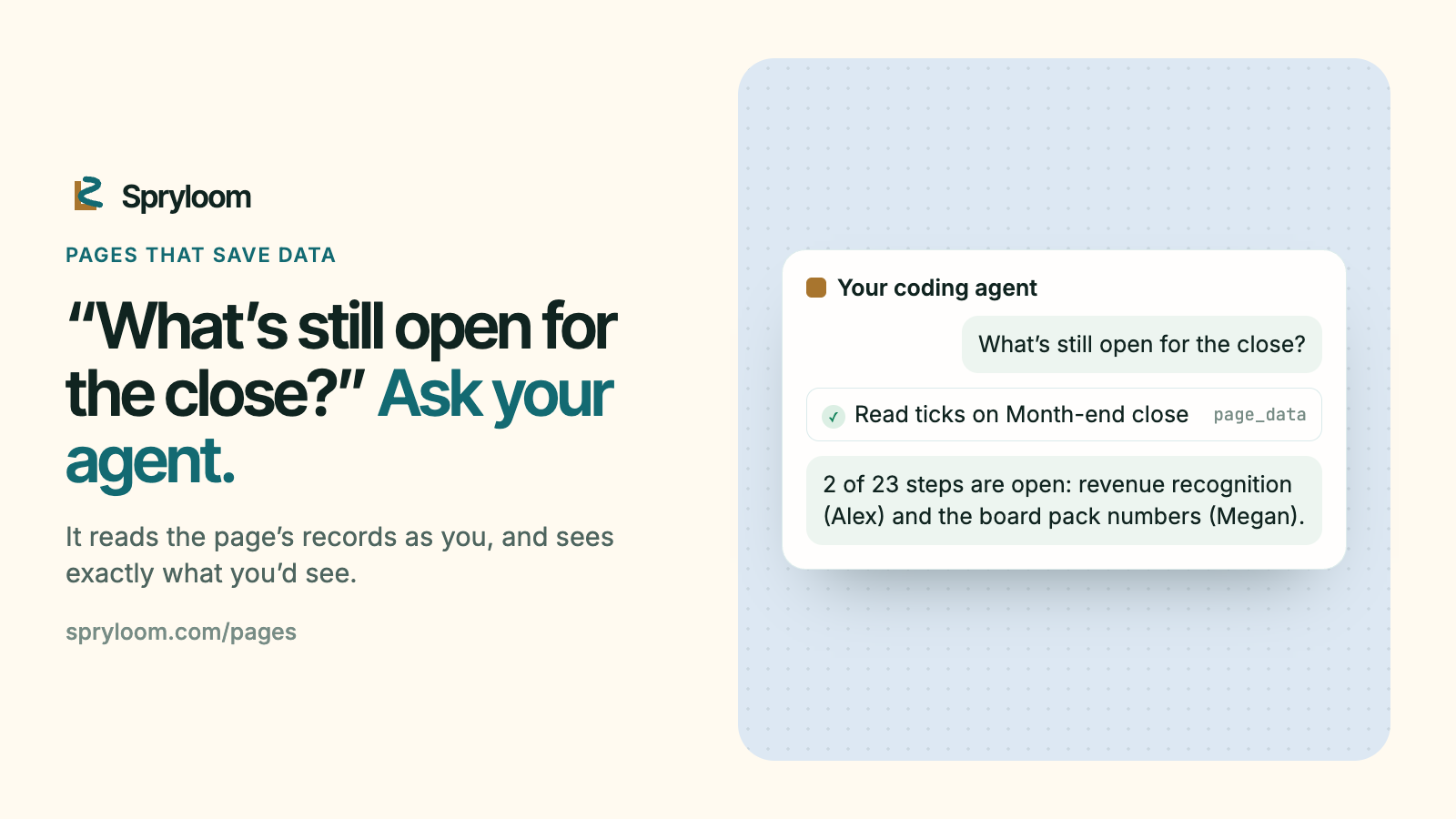
Megan's agent can read the page's records as Megan, and add Megan's own. In Claude Code, Megan asks "What's still open for the close?", and the agent reads the list and answers: two of 23 steps, with their owners. It sees exactly what Megan would see in the page, no more.
From a terminal, spry data close shows the page's lists, and spry data export close saves every record as JSON and CSV.
Grow
A month later Megan asks for something a list can't do: "On day three of the close, email whoever still has a step open." That needs a schedule and a server, so the agent adds one (how a reminder works), and the next publish makes the close an app, at the same address, with the same people. Every record is copied into a table named page_ticks in the app's own database. Nobody signs in again.
Four more
- Release sign-off. One shared list. Design, QA and support each sign off, and the page shows who signed and when, from their sign-in, not from a name typed into a box.
- New-hire checklist. One
ownlist. Each new starter ticks off their own first-week tasks and sees only theirs. The page's owner sees everyone's progress. - Policy sign-off. One
ownlist. Every employee confirms they read the new policy and sees only their own confirmation; HR, as the page's owner, sees who hasn't. - A request form. One
ownlist. People file requests that only they and the owner can see. When requests need routing and reminders, it becomes an app.
What stays safe
- Only people you invite can open the page, and each signs in with their email before the page is sent.
- The page's scripts can save to its own lists and can't send data anywhere else.
- Each page's records are walled off from every other page's in the database itself, not just in code.
- Requests to save are accepted only from the page itself, not from another site a person happens to have open.
- Every export, and every time an agent reads the data, is written to the page's access log.
What it doesn't do
A page that saves data keeps lists. It doesn't run anything on its own:
- No schedules and no email. "Remind people on Friday" needs an app.
- No rules on a server. The page can't enforce "the board pack waits until revenue is signed off" beyond what its own script does. If a rule matters, it belongs in an app.
- No calls to outside services. Posting to Slack or asking an AI model is an app's job.
In each case the way forward is the same: your agent adds a server, and the next publish makes it an app with every record moved in.
Try it
Add Spryloom to Claude Code, Codex or Cursor (how), then ask your agent for the list your team keeps asking about:
Make a checklist for our month-end close: the steps, who owns each, and a tick when it's done. Publish it with Spryloom for the finance team.
The agent picks a page that saves data when a list is all it needs, and tells you why. More on how saving works is in the guide.