How to share a Claude Code app with your team
The app works on your laptop and a coworker has asked for the link. Here are the four ways to give them one, what each costs you, and where each stops working.
Updated
You described a tool to Claude Code after lunch, and by the end of the day it was running at localhost:3000. It tracks the thing your team has been tracking in a spreadsheet, and it is better than the spreadsheet. You show it to a coworker, and they ask the obvious question: can you send me the link?
You can't, because localhost means "this computer". The app runs on your laptop and nowhere else.
This article is about closing that gap. We make Spryloom, which is one of the four options below, so read that section knowing who wrote it. The first three are real choices, described as fairly as we can.
What sharing an app really takes
Building the app was one job. Sharing it is five smaller ones, and it helps to see them listed before you choose a route.
- Somewhere to run. A computer that stays on when your laptop is shut.
- An address. A link that starts with
https://, which means a domain and a certificate. - A door. A way to let coworkers in and keep everyone else out. An internal tool usually holds customer names, prices or salaries, so "anyone with the link" is not good enough.
- Somewhere to keep data. A database that survives a restart. Files saved next to the code usually don't.
- A way to change it. You will find a bug on day two. Updating has to be safe, and undoing a bad update has to be possible.
Every option below is a different answer to who does these five jobs.
Option 1: send the code
Push the folder to GitHub, or zip it, and let each coworker run it themselves.
This works when your coworkers are developers. They get the code, they can change it, and nothing is hosted anywhere.
It stops working the moment one of them isn't. Running it means installing Node, running commands in a terminal and fixing whatever differs on their machine. Each person also gets their own copy with their own data, so it is no longer a shared tool. It is five copies of a private one.
Option 2: a tunnel from your laptop
Tools such as ngrok and Cloudflare Tunnel give your localhost a public address. One command, and the link works from anywhere.
A tunnel is the right tool for a demo. For showing something in a meeting, or letting one person try it for an hour, nothing is faster.
It is the wrong tool for anything people rely on, for two reasons:
- The app is still on your laptop. Close the lid and the tool is gone for everyone.
- The link is open unless you add a door. Anyone who has the address can open it. Tunnel products do offer ways to put a sign-in step in front, but you have to set that up.
Option 3: host it yourself
Put the app on a hosting platform such as Vercel, Render, Railway or Fly.io. This is how software is normally shipped, and your coding agent can do much of the setup if you ask.
It gives you a real server, a real address and room to grow. If there is a developer on your team who will look after it, this is a good answer and you can stop reading here.
If there isn't, know what you are taking on. Of the five jobs, the host does the first two. The other three are yours:
- The door. You ask the agent to add a login, and now your app contains sign-in code: sessions, password resets or email links, a users table. That code has to be right, and it has to stay right each time the agent changes the app. The other route is a product like Cloudflare Access, which puts a sign-in page in front of the app without touching its code. It works well, and it needs your domain on Cloudflare and some configuration.
- The data. You create a database, connect it, and keep its password out of the code.
- Changes. You set up deploys, and you work out how to go back when one goes wrong.
None of these is hard for an engineer. Each one is a place where someone who is not an engineer can get stuck for a day, or get it slightly wrong without noticing. A login that is slightly wrong is worse than no login, because everyone believes it works.
Option 4: a publish step made for this
This is the gap Spryloom was built for. The idea is that sharing should be one step, in the same place you built the app, and that the five jobs should be done for you the same way every time.
Install it and sign in once:
npm install -g spryloom
spry login --email you@yourcompany.com
Then publish from the app's folder:
spry publish .
Publishing Expense Notes

  ✓ Runtime created
  ✓ Database created
  ✓ Sign-in enabled for yourcompany.com
  ✓ HTTPS enabled

https://expense-notes.yourcompany-com.spryloom.app
That is jobs one, two and four. The door is job three. A new app opens only for you until you say otherwise, and then you invite people by name:
spry invite expense-notes --email ryan@yourcompany.com
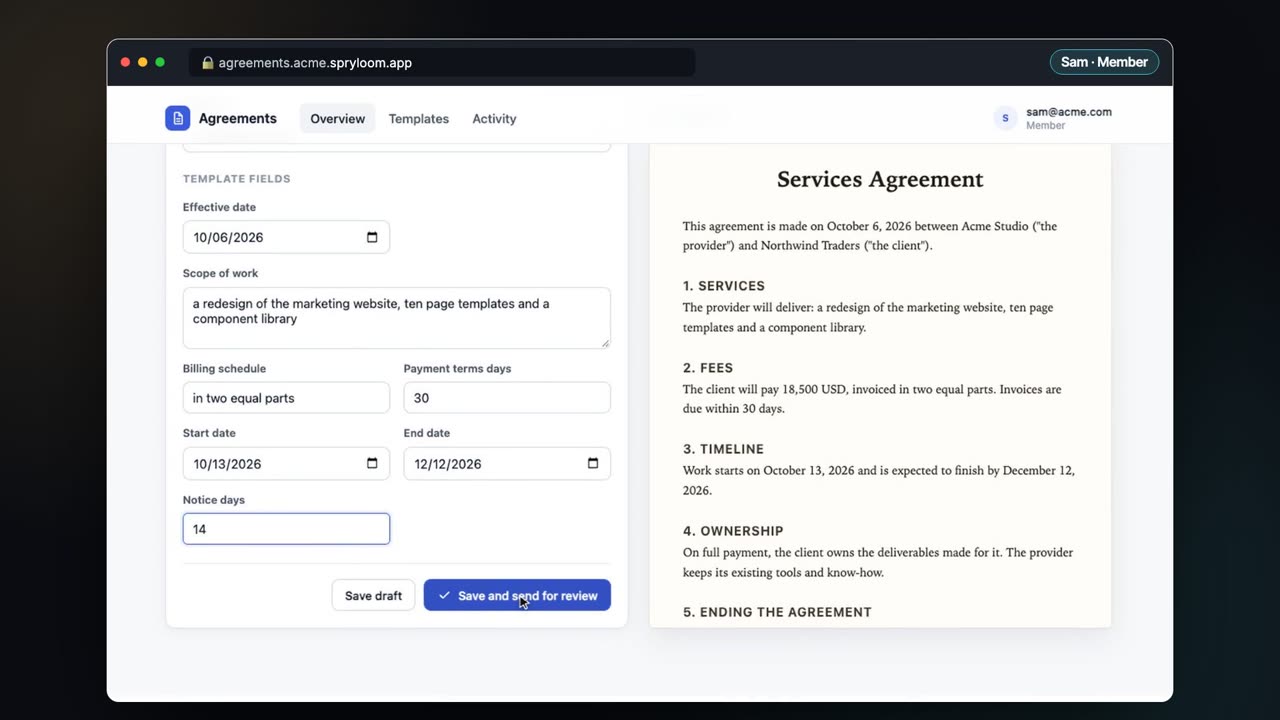
Ryan gets an email saying who invited him and what the app does. He clicks, gets a sign-in link of his own, and is in. He never chooses a password. Your app contains no sign-in code at all: Spryloom checks who is at the door before the request reaches the app, and tells the app who it is.
For job five, you publish again. The address and the data stay put. If the new version is wrong, spry rollback expense-notes returns to the previous one.
You don't have to type any of this. Add the Spryloom plugin to Claude Code once, and the agent that built the app can publish it:
/plugin marketplace add spryloom/claude-plugin
/plugin install spryloom@spryloom
After that you say "publish this for the finance team" in the same conversation where you built it. The first time, Claude asks for your email and Spryloom signs you in.
What it doesn't do
- It is for private tools, not public websites. Everything sits behind sign-in for the people you invite. A marketing site or a product for customers belongs on a normal host.
- Rollback returns the code, not the data. Going back a version does not undo changes the newer version made to the database.
- A report doesn't need all of this. If what you made is one HTML file or a Markdown document, publish it as a page instead. There is no server or database, and it takes a few seconds.
The five jobs, side by side
| Send the code | A tunnel | Host it yourself | Spryloom | |
|---|---|---|---|---|
| Somewhere to run | Their laptops | Your laptop | Done | Done |
| An address | None | Done | Done | Done |
| A door | None needed | You add it | You build it | Done |
| Somewhere to keep data | A copy each | Your laptop | You set it up | Done |
| A way to change it | Send it again | Restart it | You set it up | Done |
Which one to pick
| If this is you | Use | Why |
|---|---|---|
| Your coworkers are developers | Send the code | They want the code anyway |
| You need to show it once, today | A tunnel | Fastest, and nothing to clean up |
| A developer will look after it | Host it yourself | Most control, and it grows with you |
| Nobody on the team is an engineer, and the tool holds real data | A publish step | Sign-in, database and updates are handled for you |
Whichever you choose, check the door before you share the link. Open the address in a private browser window, where you are signed in to nothing. If the app opens, so will it for anyone who gets hold of that link.
If the app is for one or two people rather than a team, How to give a coworker access to an app you built with AI walks through inviting them, what they see, and taking access away.